Ontario Prompt Payment

Ontario Proper Invoice Generator

Before a billing dispute turns into a paperwork mess, it helps to get the invoice details organized in one place. Blue Crane gives you a structured worksheet for the payer, project, amount, tax, and supporting notes.

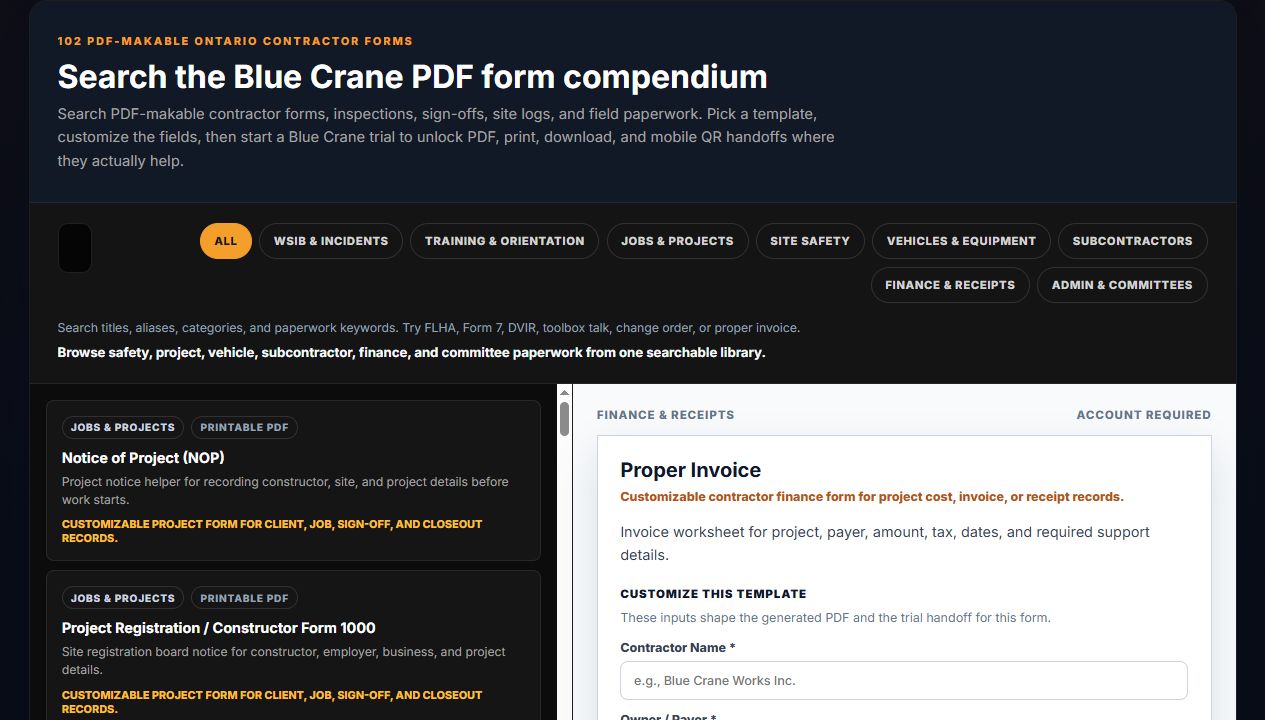
Blue Crane tools page showing the Proper Invoice form preview and field inputs.
Actual Blue Crane Proper Invoice preview from the tools library.

When contractors use it

This page fits the moment when a team is preparing a project bill, cleaning up a payment package, or making sure the billing record is organized before it goes out the door.

  • Progress billing preparation
  • Prompt payment package cleanup
  • Invoice support and recordkeeping

What to have ready

Good invoice prep is mostly about complete project context and clear numbers.

  • Payer and project details
  • Invoice date and amount
  • Tax, holdback, and support notes
  • Any referenced backup documents

Cash flow context

A cleaner invoice package makes follow-up easier when payment slows down. It also keeps the project record tighter if questions come back later from the owner, accountant, or project team.

Frequently asked questions

Does this replace my accounting system?

No. It gives you a cleaner project-facing worksheet and record for the invoice package, not a full accounting ledger.

Can I use it before the package is final?

Yes. Many teams use the generator to draft the structure first, then tighten the support notes and final values before sending.

What should I read if payment starts to stall?

Use the related prompt payment guide to review the broader Ontario payment context and the next documents that may matter downstream.

Next Step

Prepare the invoice package before the clock conversation starts

Open the Proper Invoice form, organize the billing details, and keep a cleaner project record ready for payment follow-up.