Transparency
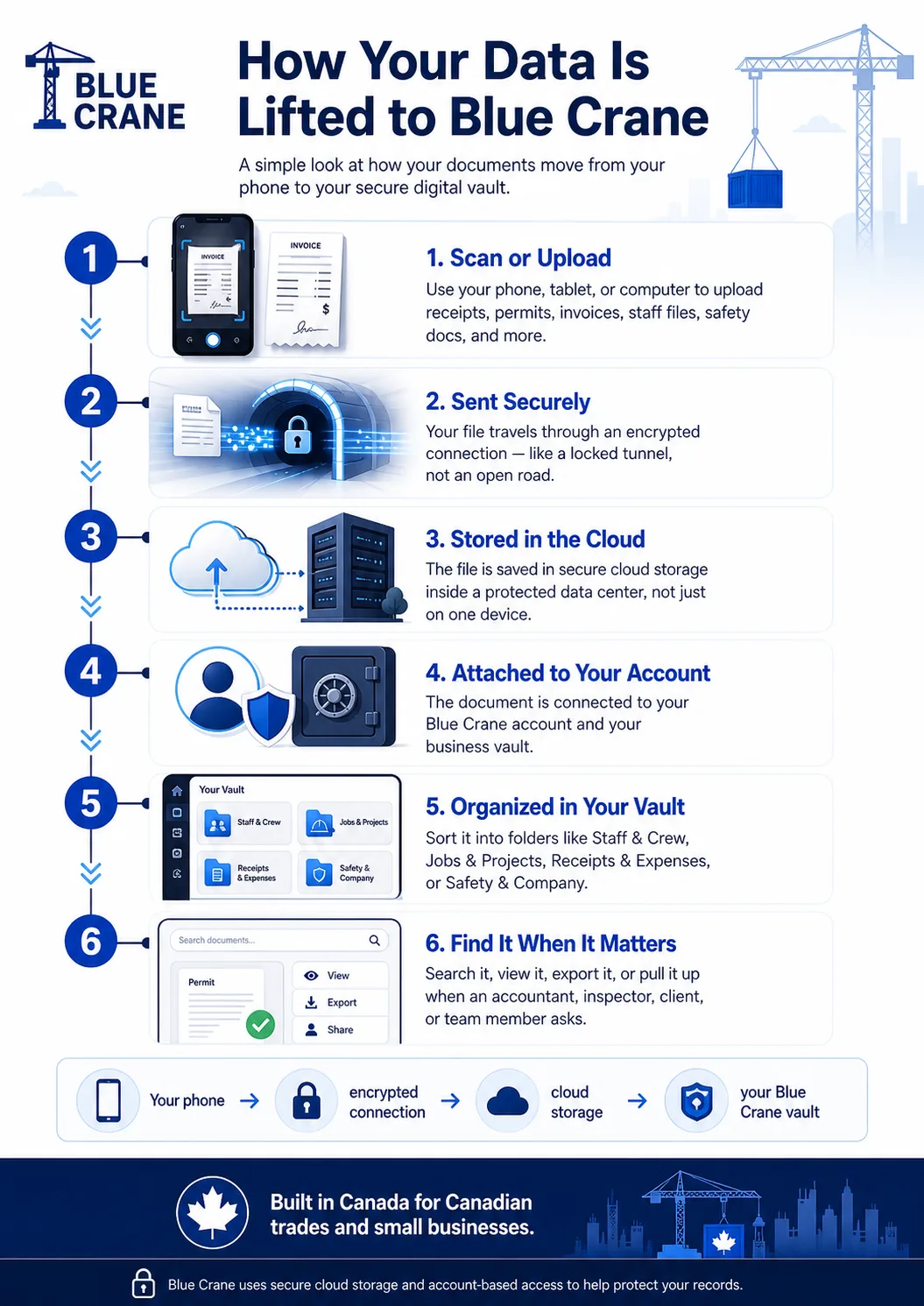
You scan or upload a document
You open Blue Crane on your phone, tablet, or computer and scan or upload a document. This could be any type of business record your operation depends on.
The file is sent securely
Once you upload the file, it travels from your device to Blue Crane through an encrypted connection. That means the file is not just floating around openly on the internet while it moves from your phone to the system.
The file is stored in cloud storage
After the file reaches Blue Crane, it is stored in cloud storage. Cloud storage means your document is saved in a protected data center instead of only being saved on your phone, truck computer, or office laptop.
This is what allows you to access your records later from another approved device.
The document is attached to your account
Your uploaded file is connected to your Blue Crane account and your business vault. That means your records are not mixed into one public pile. They are organized under your account, separate from anyone else's business.
You organize it inside your vault
You choose where the document belongs. For example:
You can also add details like document type, expiry date, renewal date, staff name, job name, equipment name, notes, and signature requirements.
You can find it later
Once the record is stored, you can search for it, view it, export it, or use it when someone asks. That could be an accountant, inspector, client, staff member, insurance company, or your own team.
Blue Crane stores uploaded records using secure cloud infrastructure. Instead of keeping everything on one local computer, documents are stored in cloud systems designed for reliability, access control, and protection.
Blue Crane uses secure cloud storage to keep business records available through your account. Storage location and provider details may depend on the infrastructure used to operate the platform.
Note: Do not interpret this page as a guarantee of a specific storage region or jurisdiction. If data residency is a requirement for your business, contact us directly before uploading sensitive records.
Questions about your data?
If you have a specific question about how a document is stored, who can access it, or how to delete your records, contact Trevor directly at info@bluecraneworks.ca.